Claude Design and Development for Non-Technical Founders
AI-Assisted Web Design
The course
Learn to design and build your own website with Claude — no code, no developer, no guesswork. You’ll go from an idea to a polished, live site you fully own and can keep improving yourself.
What you’ll learn
- Turning your brand into a design system Claude can follow
- Prompting for layouts that look custom, not templated
- Building, editing and publishing real pages
- Keeping your site updated without help
The course
Learn to design and build your own website with Claude — no code, no developer, no guesswork. You’ll go from an idea to a polished, live site you fully own and can keep improving yourself.
What you’ll learn
- Turning your brand into a design system Claude can follow
- Prompting for layouts that look custom, not templated
- Building, editing and publishing real pages
- Keeping your site updated without help
Master AI-assisted web design from scratch: how websites work, a repeatable Claude workflow, design systems, animation and launching your site.
Start learning right after you enroll
[6] weeks at your own pace
Lessons, homework, feedback and a final project
Claude turns your ideas into a real, working website
This course is for you if you’re:
A founder starting out
You need a professional website for your new business, without hiring an agency or learning to code.
Stuck with an outdated site
Your business has grown, but your website hasn’t. Learn to redesign it yourself and keep it fresh.
A coach, consultant or creative
Your site is your storefront. Make it look as considered and premium as the work you deliver.
A designer who wants to build
Go beyond mockups. Use Claude to turn your designs into live, custom websites for your clients.
You’ll get results if you learn with us
A working design studio
Applet Studio designs websites and templates every day. You’ll learn the same workflow we use with real clients.
Made for non-technical founders
No jargon and no prior experience needed. Every lesson starts from zero and builds step by step.
One tool, learned properly
We focus on Claude, in depth, so you leave with a process you can repeat, not a pile of tips.
You own everything
No agency lock-in. You finish with a site you built, understand and can update yourself.
Design taste, not just tech
AI can build anything. We teach you what to ask for, so the result looks custom, not templated.
We turn founders into confident website builders
We won’t waste your time on made-up perks. Here are the advantages we can stand behind, the ones that set this course apart.
Designer’s eye, AI speed
Claude writes the code, but good websites start with good decisions. You’ll learn both the design thinking and the AI workflow.
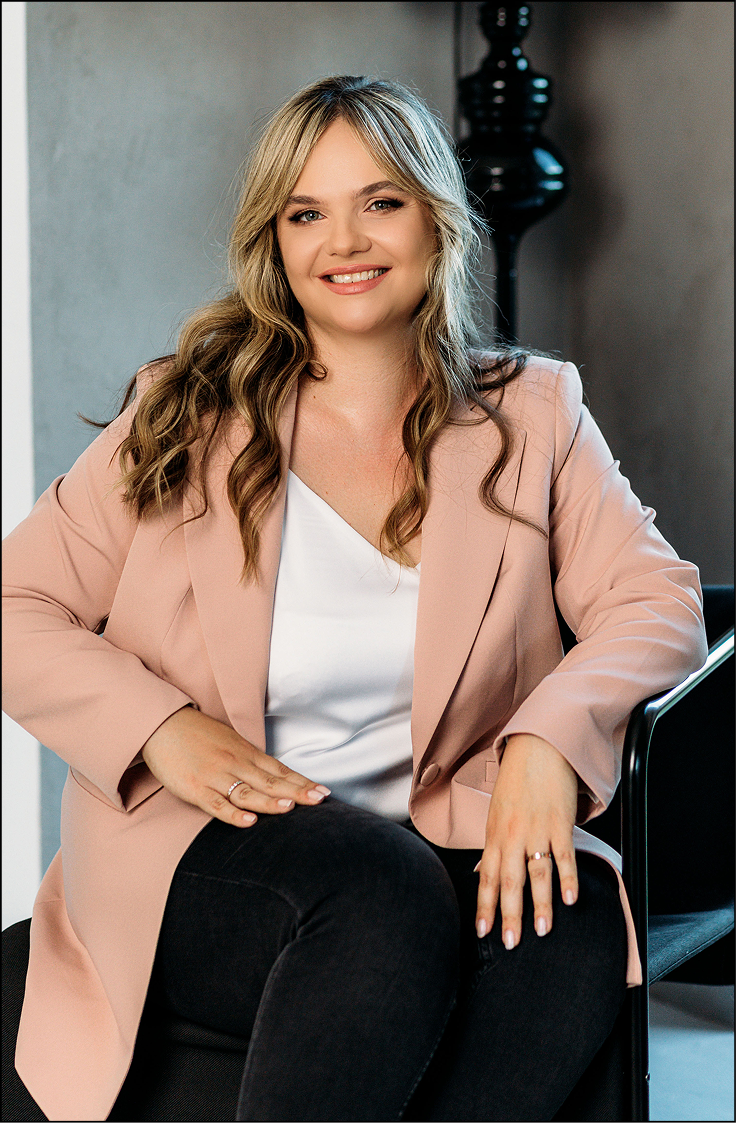
Lessons are taught by Olga Kolgusheva, designer and founder of Applet Studio.
A practical format
Short video lessons, ready-to-use prompts, homework and a final project. You build your own site as you go.
No fixed schedule. Watch lessons whenever suits you and book calls when you need them.
Real feedback
Fast, honest and specific feedback is what makes learning stick, so it’s where we put the most care.
We’re genuinely invested in every student launching something they’re proud of.
Program
6 modules · 25 lessons · final project
#module 1
Foundations: how websites work
- Welcome and how the course works
- Pages, sections and blocks: anatomy of a website
- Setting up Claude: projects, files and instructions
- Squarespace, Webflow or code: choosing your platform
- The HTML and CSS basics you actually need
#module 2
Your brand as a design system
- Defining your audience and offer
- Color, type and spacing as a system
- Writing a brand brief Claude can follow
- Moodboards and references
- Turning Figma files or screenshots into a style guide
#module 3
Designing pages with Claude
- Prompting for layout: structure before style
- Home, about and service pages
- Writing website copy in your own voice
- Reviewing and iterating on designs
- Accessibility and readability basics
#module 4
Building and custom code
- Generating clean, copy-paste code blocks
- Embedding custom sections in Squarespace
- Animations and scroll effects
- Responsive design: desktop, tablet and phone
- Fixing things when they break
#module 5
Launch
- SEO basics: titles, descriptions and images
- Forms, email and integrations
- Domain, analytics and your launch checklist
#module 6
Final project
- Build and launch your own website
- Final review and next steps
Pricing
Start learning right after you enroll.
Self-paced
- All course lessons in your student portal
- Prompt library and templates
- Homework without review
- Lifetime access to the course
[$000]
Choose Self-pacedPlus
- Everything in Self-paced
- Homework review
- Private chat with the teacher during the course
- Feedback on your final project
- Certificate of completion
[$000]
Choose PlusMentor
- Everything in Plus
- Personal recommendations for your site and business
- Three 1:1 calls with Olga, 45 minutes each
[$000]
Choose MentorHow does learning work?
Student portal
On day one you’ll get an invitation to your student portal. Lessons are short, focused videos you can watch whenever it suits you.
A plan for each week
Each week covers one module, with a short homework task to put it into practice. Plan for a few hours a week.
Private chat (Plus and Mentor)
Ask questions and get feedback from the teacher in a private chat throughout the course.
Online calls (Mentor)
Three times during the course you’ll meet Olga on Zoom to work through your questions and get detailed feedback on your site.
Final project
Every student finishes by designing, building and launching their own website. The last weeks of the course are dedicated to it.
Student reviews
[Review headline]
[Paste a real student review here.]
[Student name]
[Review headline]
[Paste a real student review here.]
[Student name]
[Review headline]
[Paste a real student review here.]
[Student name]
Start building a website you’re proud of
Leave a request and we’ll get in touch to answer your questions and help you choose the right plan.
Apply nowFollow along for news, new lessons and special offers.
Answers to frequent questions
Do I need any coding or design experience?
No. The course is made for non-technical founders and starts from zero.
What tools do I need?
A Claude subscription and a website platform such as Squarespace. We’ll walk you through the setup in the first module.
Can I pay in installments?
[Yes / no: describe your payment plan options here.]
How long do I have access to the materials?
Access to the course is lifetime, including future lesson updates.
Can I get a refund if the course isn’t for me?
[Describe your refund policy here.]
Who teaches the course?
Olga Kolgusheva, designer and founder of Applet Studio.
Where can I ask questions?
Email us at [your email] and we’ll get back to you within [2] business days.
